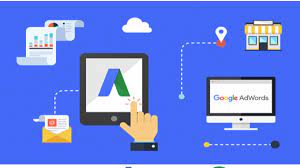
If you want to reach the maximum number of online shoppers, Google PPC Ads is the best option. It is one of the most effective methods to attract potential buyers and generate sales. And consumers who click on such ads are 50% more likely to convert into buyers. It means you will pay for the Ad only when there is a possibility of getting a buyer. The top brands like Kinetica Sports reported a 267% increase in sales from Google PPC Ads. So you can realize the importance of Google Ads PPC management for your business.
PPC advertising solution enables you to promote your products through keywords by showing Ads on Google search results. Further, you only pay when shoppers click on your ad to visit your site.
However, it differs from SEO in the targeting method. SEO services target organic traffic. On the other hand, PPC Ad shows paid ads on relevant search results pages. Below you can read about PPC Ads, their benefits, and the different steps to manage them.
What Are PPC Ads On Google?
PPC ads enable you to present your brand before shoppers across the Google network. In PPC, you will write a keyword-based text about your products. And AdWord will show your Ads on the relevant search page. In this way, millions of online shoppers can view your brand before visiting your site.
The best thing about PPC is displaying what you offer to shoppers searching for it. It increases your credibility and makes customers more likely to click on your Ad. So it creates the best chance to generate a sale and increase your ROI.
Moreover, PPCs are cost-effective because you have to pay if consumers click on your Ad. Also, it is an ideal way to increase brand awareness. And as per statistics, full services PPC management increase brand awareness by 80%.
Steps To Start Google Ads PPC Management
To start PPCs, you’ll need to create an AdWords account and a landing page and link both. So once you decide to initiate a sales-driving campaign with Google PPC Ads, follow the below steps to start it.
The steps include creating a landing page, selecting relevant keywords, writing a text Ad, and setting the daily budget.
1. Build Your Landing Page
Your landing page is crucial for the success of your PPC campaign. It provides the ultimate solutions to users. Though it is easy to link your homepage to an Ad, it will provide a poor user experience. So you should build a keyword-oriented page to provide accurate and valuable information to the visitors.
2. Create Your Merchant Center Account On Google
This tool helps to manage your Ads. But, before creating an account, you should check the merchant center guidelines. It will ensure that your business complies with Google policies.
Now go to https://merchants.google.com/ and sign up to create your account. Here you will provide all your business information, website link, and product/service details.
Then you will claim and verify your website URL and provide contact information. After this, link your merchant center account with your Google Ads account. And for this, create your Google Ad account at https://business.google.com/.
3. Select The Keywords & Create The Text Ad
After creating and linking your merchant account with your Google Ad account, add the details of the product/service you want to promote. For this, go to the menu and select the “Add product” option to write what you offer. You can also upload the data from your website or desktop.
Before you start writing your Ad text, determine the keywords you want to target. To run a successful PPC campaign, find the terms people use while searching for products you offer. It will bring you and your customers on the same page to find each other. Additionally, select long tail keywords that provide more specific intent for the searchers.
Once you decide on the keywords, start writing your ads. The most crucial parts of the Ads are the headline and the call to action. The headline should include the keyword. It will attract the shoppers to read your Ad. And a highlighting call to action will push them to click the link.
4. Create The Campaign
Log in to your Google Ad account and click + New Campaign under Create New Ad. Then choose the campaign name and create an Ad group. Also, select the linked merchant center account that contains the business details. After this, set the daily budget to spend on your PPC campaign and click save.
In the last step, you will set the bid. It defines the amount to spend per click in your campaign. You can now run the campaign if you have funds in your account. Else, you will have to add funds for your campaign to run. And once Google completes the review process, which takes a few hours, your PPC Ad will be active.
5. Trace Your Campaign
The best thing about Google Ads PPC Management is its data generation. You will get the Ad impression, meaning how many people have seen your Ad. Also, you can view the CTR, denoting how many have clicked on the Ad. This data will help you redefine and improve your campaign.
Conclusion
PPC Ads on Google enhance your brand visibility while generating more sales. This Ad method works by matching the product details with the user search. This post will be helpful for you to know the full services of PPC management with better insight.



Leave a Reply